Veo 3-Style AI Video Prompts: 15 Product Video Ideas with Voice, Music, and Cinematic Editing
- Why AI Product Video Workflows Changed in 2025
- The Reusable Prompt Formula I Use for Product Videos
- 15 Veo 3 Prompts for Short-Form Product Videos
- Platform Variations for TikTok, Reels, Shorts, Hero Videos, and Ads
- Editing the Output into a Polished Brand Asset
- Voice, Music, Dialogue, or Sound Design: What Should You Use?
- MagicEditAI Workflow: From Product Asset to Finished Video
- Conclusion
Recent AI video model launches pushed creators closer to full-stack production. Veo 3 was announced at Google I/O 2025 with generated audio for clips, while Runway Gen-4 emphasized consistent characters, locations, and objects across scenes. For anyone using an AI Video Generator, that changes the workflow from “make a cool clip” to “build a complete product video with visuals, voice, sound effects, music, edits, and exports.” (techcrunch.com)
Why AI Product Video Workflows Changed in 2025
The older creator workflow was split across too many steps: generate a clip, find a voiceover, hunt for music, edit in another app, then fix the weird frames. Newer models have made that process faster by improving three things: motion control, scene consistency, and audio support.
Veo 3 prompts matter because creators can now think in scenes instead of isolated visuals. If a clip needs footsteps, packaging rustle, cafe ambience, or a short spoken line, the prompt can include those production details from the start. Google has also described Veo 3 availability through developer tools for video and audio output, which points to a more complete generation workflow. (developers.googleblog.com)
Runway Gen-4 is useful in a different way. Its big strength is keeping a product, character, or location visually consistent across treatments, lighting conditions, and scenes. That makes it strong for a product demo video where the same bottle, shoe, gadget, app screen, or creator persona needs to appear in multiple shots without drifting. (runwayml.com)
If you want a broader primer before building prompts, I’d start with MagicEditAI’s guide to the AI Video Generator, then come back to these templates and adapt them to your brand.
The Reusable Prompt Formula I Use for Product Videos
A good multimedia AI workflow is modular. I don’t write one giant prompt and hope for the best. I build it from reusable parts:
| Prompt Component | What to Specify | Quick Example |
|---|---|---|
| Subject | Product, person, or scene focus | “matte black wireless earbuds” |
| Product benefit | One clear outcome | “blocks subway noise during commutes” |
| Visual style | Commercial, UGC, cinematic, macro | “premium tech ad, shallow depth of field” |
| Camera movement | Push-in, orbit, handheld, top-down | “slow 180-degree orbit” |
| Lighting | Natural, neon, studio, golden hour | “soft rim light with glossy highlights” |
| Environment | Kitchen, gym, desk, street, app UI | “minimal home office desk” |
| Pacing | Fast cuts, calm reveal, energetic montage | “three quick cuts in eight seconds” |
| Dialogue | Spoken line or narrator copy | “Finally, focus without the noise.” |
| Sound effects | Clicks, pours, swipes, footsteps | “case snap, soft electronic chime” |
| Music mood | Minimal, upbeat, luxury, playful | “warm synth pulse, confident tempo” |
Keep product claims accurate. “Helps reduce frizz” is safer than “repairs all hair damage forever.” The better the claim discipline, the easier your ad review and brand approval process gets.
15 Veo 3 Prompts for Short-Form Product Videos
Use these as ready-to-run Veo 3 prompts or adapt them for Runway Gen-4, MagicEditAI, or another AI video with audio workflow. Replace bracketed details with your product specifics.
| # | Use Case | Prompt Template |
|---|---|---|
| 1 | Beauty ad | “Create a 9:16 cinematic beauty ad for [serum]. Benefit: glowing skin texture. Style: macro luxury skincare. Camera: slow push-in across droplets. Light: soft pearl highlights. Environment: marble vanity. Pace: elegant reveal. Dialogue: ‘Glow starts with one drop.’ SFX: glass dropper, water shimmer. Music: airy ambient pop.” |
| 2 | App launch | “Show [app] solving [problem]. Style: clean tech promo. Camera: phone screen close-up to user reaction. Light: bright workspace. Pace: snappy. Dialogue: ‘Plan your week in seconds.’ SFX: tap, swipe, notification. Music: upbeat minimal electronic.” |
| 3 | Fashion lookbook | “Create a vertical fashion lookbook for [jacket]. Benefit: day-to-night styling. Camera: smooth street-style tracking shot. Lighting: golden hour. Environment: city sidewalk. Pace: three outfit cuts. Dialogue: none. SFX: footsteps, fabric movement. Music: stylish lo-fi beat.” |
| 4 | Food promo | “Film [snack] as a craveable food ad. Benefit: bold crunch. Style: high-speed macro. Camera: top-down drop shot, close-up bite. Light: warm kitchen glow. Dialogue: ‘Hear that crunch?’ SFX: crisp bite, bag rustle. Music: playful funk.” |
| 5 | Course trailer | “Create a course teaser for [topic]. Benefit: learn [result] in [timeframe]. Style: premium educational trailer. Camera: desk setup, notebook, laptop. Lighting: focused warm lamp. Dialogue: ‘Start with lesson one today.’ SFX: pen, keyboard. Music: inspiring cinematic pulse.” |
| 6 | Podcast clip | “Turn [podcast idea] into a visual promo. Subject: host speaking into mic. Benefit: sharp insight. Camera: slow side dolly. Lighting: moody studio. Dialogue: ‘Here’s the mistake most creators make.’ SFX: mic room tone. Music: subtle bass bed.” |
| 7 | SaaS demo | “Show [software] automating [task]. Style: polished B2B demo. Camera: UI zooms and cursor movement. Light: clean office. Pace: problem, action, result. Voiceover: ‘Upload, review, approve.’ SFX: interface clicks. Music: confident corporate synth.” |
| 8 | Fitness product | “Create an energetic ad for [resistance band]. Benefit: full-body workout anywhere. Camera: handheld gym movement. Lighting: crisp morning light. Environment: apartment mat. Dialogue: ‘No gym? No problem.’ SFX: band stretch, sneaker squeak. Music: high-energy percussion.” |
| 9 | Home decor | “Show [lamp] transforming a room. Benefit: warmer evening mood. Camera: before-to-after slider move. Lighting: dim room to cozy glow. Dialogue: ‘Change the room, change the night.’ SFX: switch click. Music: soft acoustic electronic.” |
| 10 | Travel accessory | “Create a product demo for [carry-on organizer]. Benefit: pack faster. Camera: overhead packing sequence. Light: hotel morning light. Pace: quick satisfying cuts. Dialogue: ‘Everything has a place.’ SFX: zipper, fabric fold. Music: bright travel pop.” |
| 11 | Pet product | “Film [pet toy] with a happy dog. Benefit: active play indoors. Camera: low-angle chase shot. Light: natural living room. Pace: playful. Dialogue: owner says, ‘Ready?’ SFX: paws, squeak toy. Music: cheerful indie beat.” |
| 12 | Luxury watch | “Create a premium watch reveal for [watch]. Benefit: precision and style. Camera: macro orbit around dial. Lighting: dramatic side light. Environment: dark velvet surface. Dialogue: none. SFX: subtle ticking, clasp click. Music: elegant orchestral minimal.” |
| 13 | Paid social ad | “Make a direct-response ad for [product]. Benefit: [specific result]. Style: UGC meets polished edit. Camera: creator holds product, cut to close-up. Light: natural window. Dialogue: ‘I tried this for seven days.’ SFX: pop transitions. Music: trending upbeat rhythm.” |
| 14 | Landing page hero | “Create a 16:9 hero video for [brand]. Benefit: [main promise]. Style: clean cinematic brand film. Camera: slow product rotation with lifestyle cutaways. Light: premium studio. Dialogue: none. SFX: soft whoosh. Music: calm confident ambient.” |
| 15 | YouTube Shorts teaser | “Create a fast 9:16 teaser for [new product]. Benefit: curiosity and reveal. Camera: close crops, whip pan, final hero shot. Light: contrasty neon. Pace: rapid first three seconds. Dialogue: ‘Wait until you see this.’ SFX: risers, snap cuts. Music: bold electronic drop.” |
Platform Variations for TikTok, Reels, Shorts, Hero Videos, and Ads
Short-form content creation works best when the same idea is tailored to the platform instead of pasted everywhere.
| Platform | Prompt Adjustment | Best Use |
|---|---|---|
| TikTok | Add creator dialogue, handheld motion, first-person framing | UGC ads, demos, reactions |
| Instagram Reels | Use cleaner styling, beauty shots, rhythmic cuts | Fashion, food, lifestyle, launches |
| YouTube Shorts | Open with a strong line in the first second | Tutorials, teasers, podcast clips |
| Landing page hero | Remove dialogue, slow the pacing, make it loopable | Brand storytelling, product reveals |
| Paid ads | Add problem, proof, benefit, CTA structure | Conversion-focused campaigns |
For image-to-video workflows with avatars and voice matching, MagicEditAI’s Synthesia guide on turning AI images into professional videos with prompts is a useful companion.
Editing the Output into a Polished Brand Asset
Generation gets you the raw material. Editing makes it publishable.
Here’s my practical cleanup pass:
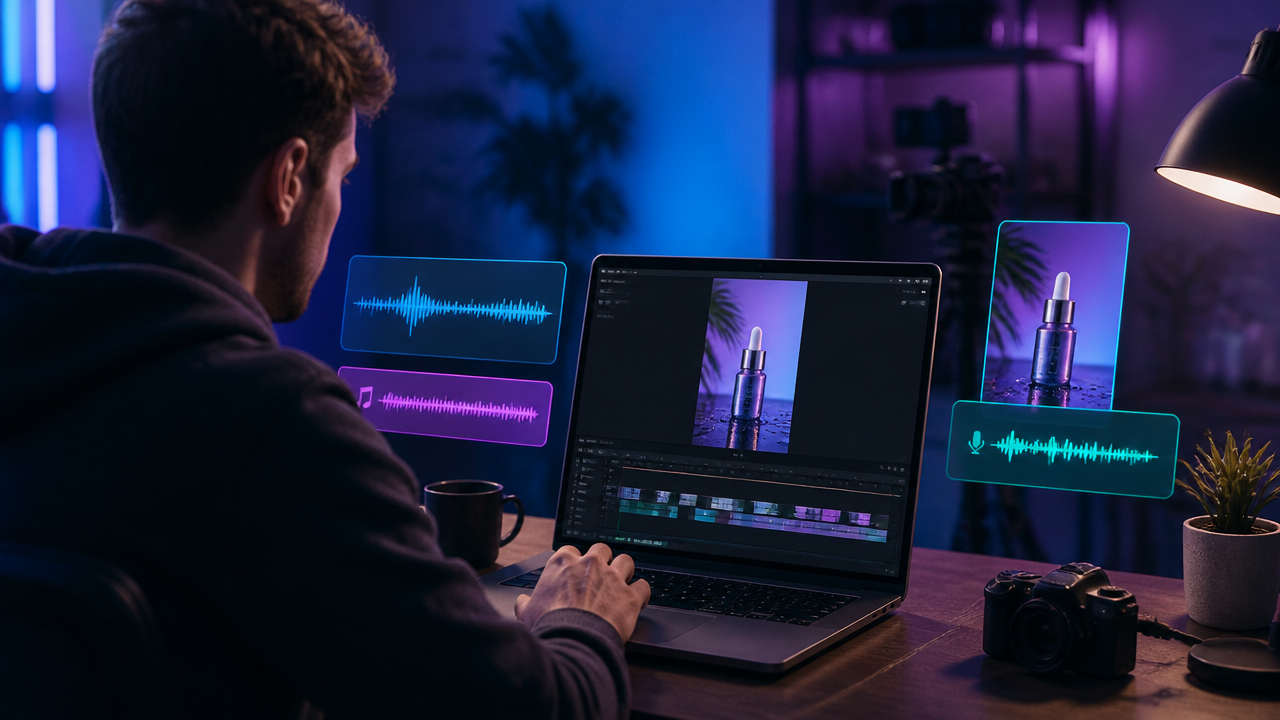
- Fix weak frames: Replace warped product angles, strange hands, or inconsistent logos with a cleaner generated frame or edited product image.
- Replace backgrounds: Keep the product, then test studio, lifestyle, and seasonal environments.
- Add captions: Burned-in captions help silent viewers, especially for TikTok and Reels.
- Refine voiceovers: Use an AI voiceover generator for clearer timing, pronunciation, and brand tone.
- Match music to intent: AI music generation should support the emotion. Luxury needs space. Fitness needs pulse. Education needs clarity.
Voice, Music, Dialogue, or Sound Design: What Should You Use?
| Audio Choice | Best For | Watch Out For |
|---|---|---|
| AI-generated dialogue | Character-led demos, UGC-style ads | Keep lines short and natural |
| Cloned brand voice | Repeat campaigns, recognizable brand presence | Get permission and maintain consistency |
| Stock-style narration | Explainers, SaaS, course trailers | Avoid sounding too generic |
| Instrumental music | Hero videos, fashion, beauty, landing pages | Don’t overpower the product moment |
| Ambient sound design | Food, travel, ASMR, luxury product shots | Small sounds need clean mixing |
My rule: if the product has a physical action, use sound effects. If the benefit needs explaining, use narration. If the visuals already say enough, let music carry the mood.
MagicEditAI Workflow: From Product Asset to Finished Video
Here’s the workflow I’d use inside MagicEditAI:
- Start with a product image, logo, app screen, or rough concept.
- Generate the video with a structured prompt using subject, benefit, style, camera, lighting, pacing, dialogue, SFX, and music mood.
- Edit the key frames to fix product shape, colors, background, or composition.
- Add or refine voiceover with a tone that matches the brand, from warm founder narration to crisp ad read.
- Create music that fits the campaign, such as upbeat social, calm luxury, or bold launch energy.
- Export platform-ready assets in vertical, square, and widescreen formats.
That all-in-one flow matters because creators don’t just need a clip. We need polished media we can actually post, test, and improve.
Conclusion
Veo 3 prompts and Runway Gen-4-style workflows point to a clear shift: AI video is becoming a complete production process, not a novelty clip generator. The best results come from structured prompts, accurate product benefits, strong audio choices, and a final editing pass that protects brand quality.
Start simple. Pick one template, swap in your product, generate three variations, then edit the strongest version for the channel you care about most.
Ready to move from prompt to polished creative? Try the free trial on MagicEditAI to create your first edited image or AI-generated video.

 MagicEdit